A custom file is not a generic download. It was created for one customer and one Shopify order, often after payment and after your team has completed manual work. The email that delivers it is part of that service.
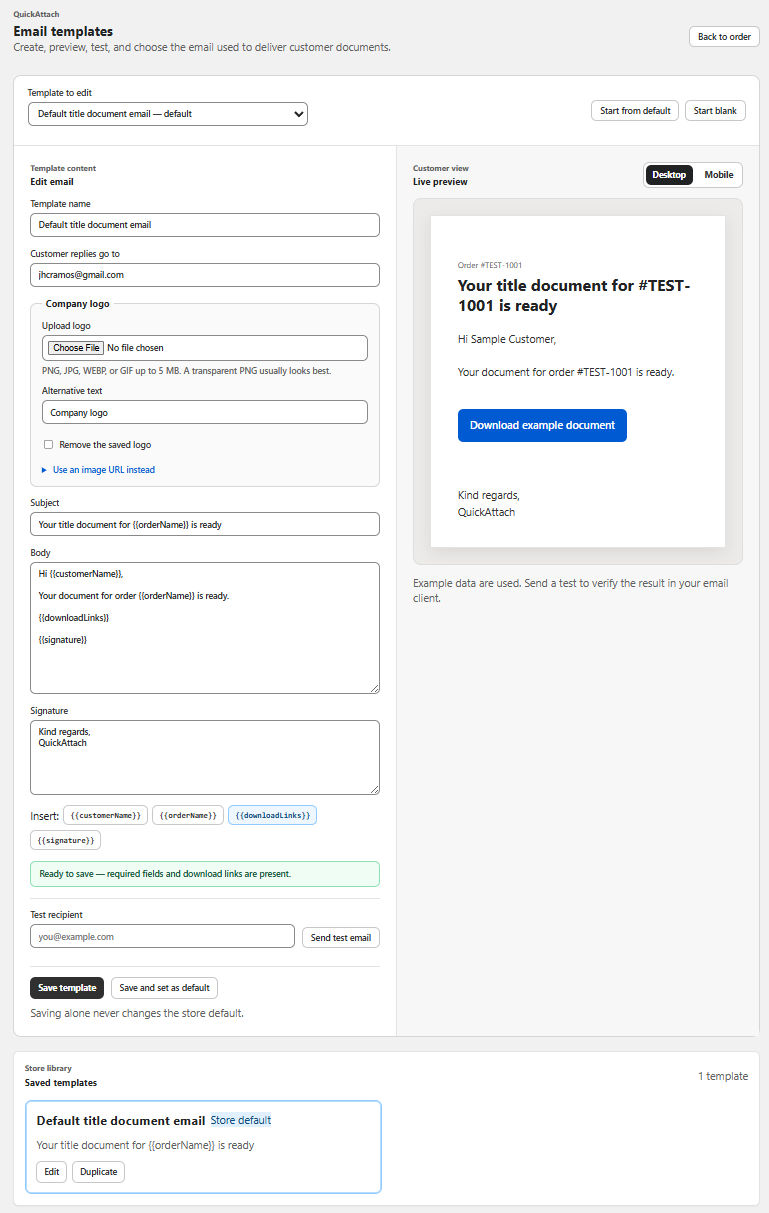
The clearest message answers three questions immediately: which order is this for, what has been prepared, and how does the customer access it?
Start with the order context.
Put the store name, customer name where appropriate, and order reference near the top. A customer may have several purchases or may be opening the message days after checkout. Context prevents the download from looking like an unexplained link.
- Use a subject such as “Your custom report is ready — order #1042”.
- Name the deliverable in plain language.
- Say when it was prepared or made available.
Make the next action obvious.
Use one primary action, such as “Download your report” or “View your certificate”. Avoid making the customer search through a paragraph for a raw URL or an attachment. If the file is accessed through a secure link, explain briefly what the button opens.
Keep the instructions short: open the download, save a copy, and return to the order-linked page if another copy is needed. Do not promise a feature your store does not provide.
Explain what happens if the customer needs help.
Include a support route and a useful reference: the order number, the deliverable name, or the email used at checkout. This gives your team enough context to investigate without asking the customer to repeat the whole purchase history.
For privacy-sensitive documents, avoid putting unnecessary personal information in the subject line or body. The email should identify the order without exposing the contents of the file.
Use a repeatable structure.
- Greeting: identify the store and customer.
- Status: say the custom file is ready.
- Deliverable: name the report, reading, proof, or document.
- Action: provide one clear download button.
- Fallback: explain where to return or who to contact.
- Sign-off: use the store’s normal brand and support details.
This structure works for a personalized report, a title document, an astrology reading, a made-to-order PDF, or a customer-specific proof. The wording changes; the operational context does not.
Keep delivery connected to the order.
A well-written email cannot fix a disconnected workflow. Your team still needs to know which file belongs to which order, which deliverables are ready, and what the customer can access again. QuickAttach is designed around that order-specific workflow: attach the file or link to the relevant order item, then deliver it through a branded customer path.
For the wider process, read why custom digital products need a post-checkout workflow. If customers often lose old messages, see how customers can re-download personalized Shopify files. The broader guide is how to deliver personalized digital products after purchase.
Make every custom delivery clear.
Install QuickAttach for an order-specific workflow for files and links created after checkout.
Install on Shopify