Choose the language deliberately
A customer’s name or shipping country is an unreliable substitute for a language preference. Use the preference your store has actually collected or the supported locale information available in your workflow. If that information is absent, define a clear fallback rather than guessing.
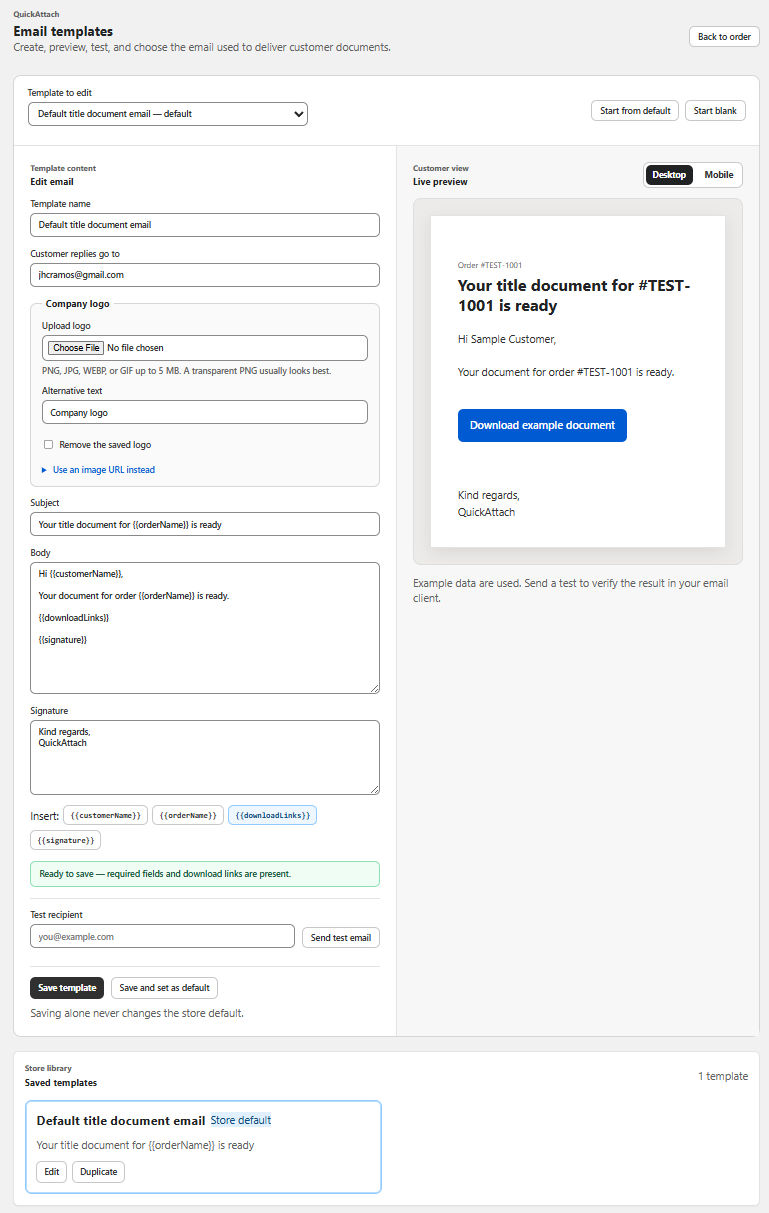
QuickAttach documents branded email templates. This does not establish automatic translation or locale-based selection. Verify the current template and selection controls, and use a manual process where that is what the app supports.
Create a small translation specification
| Element | What the reviewer should preserve |
|---|---|
| Ready-file statement | Exactly which item is available |
| Download action | A clear verb and recognizable deliverable name |
| Pending-work note | The distinction between partial and complete delivery |
| Availability date | An unambiguous date and relevant time zone |
| Support route | A channel the store can actually support |
Keep product terminology consistent with the storefront. A literal translation of an internal file label may be less useful than the customer-facing product name in that language.
Fictional example: two reviewed versions
A studio serving English- and French-speaking buyers maintains reviewed wording for ready, partial, and revised deliveries. For order 4410, the operator checks the recorded language preference, selects the corresponding approved copy through the available controls, and reviews the final message with the actual item name.
The store does not promise support in French merely because the email is translated. It confirms who can handle replies and how an access problem will be routed. Translation should not create a service expectation the business cannot meet.
A release checklist for translated copy
- Have a competent language reviewer check meaning, tone, and instructions.
- Confirm that placeholders or supported template fields still work.
- Use a synthetic order with long item names and a partial delivery.
- Inspect dates, number formats, line wrapping, and action labels.
- Check the destination page and file-language expectation.
- Record which copy version is approved and who maintains it.
This is a review procedure, not a claim of completed localization testing. Avoid placing unsupported template syntax into live messages; insert only fields the current interface documents.
The QuickAttach walkthrough covers customer confirmation and template choice in the delivery flow. Add the language check to that handoff, then revisit all approved language versions whenever the store changes its availability policy or download instructions.
Deliver the right file with the right order
See how QuickAttach connects a customer-specific file or link to a Shopify order item.
See the QuickAttach order-to-download walkthrough