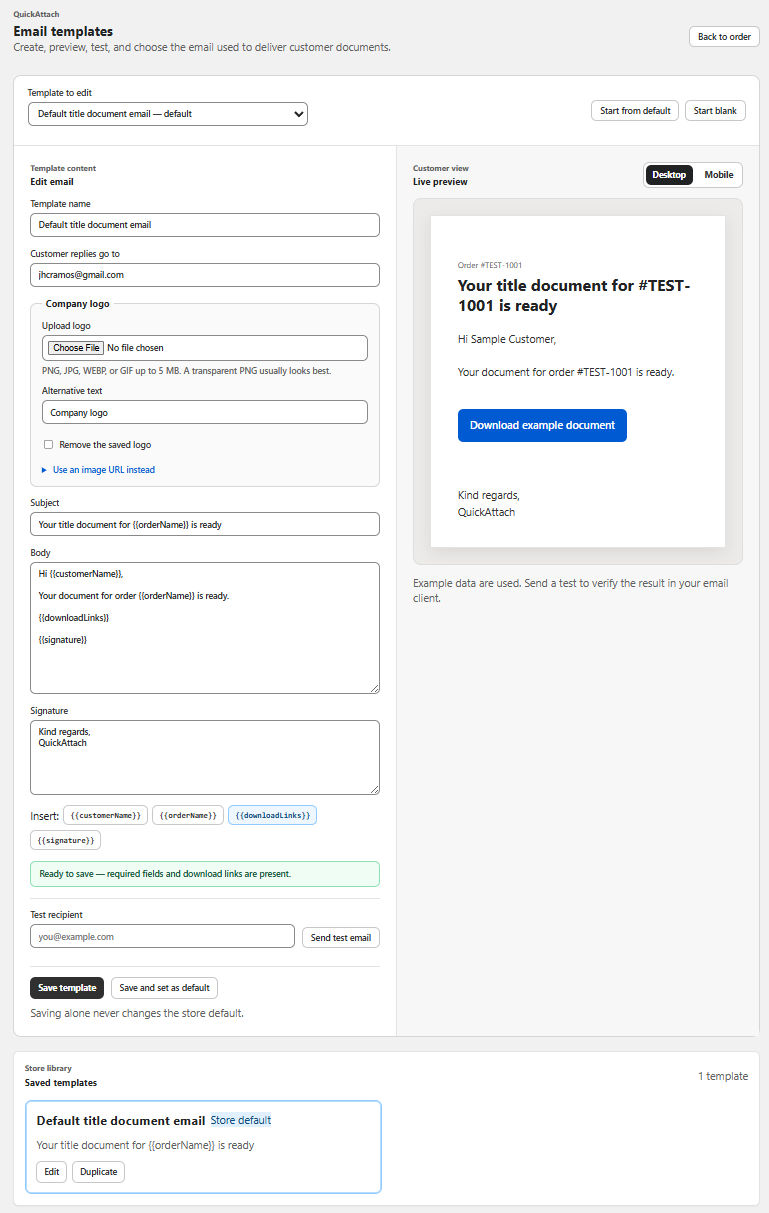
Put the retrieval task near the top
A phone screen has little room for decorative headers, long greetings, and several competing links. Begin with the store identity and the specific item that is ready. Place the download action after enough context to make it understandable, then put optional instructions and support below it.
QuickAttach supports branded delivery emails, but available layout controls depend on the current template interface. Apply the principles through supported settings; do not assume unrestricted HTML editing or identical rendering across inboxes.
A mobile content order
- Recognizable store name.
- Specific heading such as “Your desk-layout plan is ready.”
- Order reference and a short description of the file.
- Clearly named download action.
- Any essential file-opening or availability instruction.
- Monitored support route.
The most important information should remain useful when images are unavailable. Do not put the order context or the only instruction inside a banner image.
Fictional example: a long product name
A store’s catalog calls an item “Personalized Small-Space Home Office Planning Package — Extended Edition.” In a narrow email, that name can occupy several lines before the buyer sees the download. The message can use a truthful shorter label, such as “Your extended office plan,” while keeping the order reference available for context.
The merchant tests order 4406 with this long name because a short “Test PDF” would not reveal the layout problem. They also check a partial delivery where a second item remains pending; the pending note must not push the action out of a sensible reading order.
A recipient-side mobile review
| Check | Pass condition to inspect |
|---|---|
| Reading | Main text is comfortable without repeated zooming |
| Action | Download control is identifiable and easy to select |
| Width | No essential content requires horizontal scrolling |
| Images off | File context and instructions remain present |
| Long content | Item names and support text remain usable |
| Destination | The action reaches the intended file or supported page |
Run this protocol in the email clients important to your customers and record the devices and versions. These are proposed checks, not completed cross-client testing.
The delivery walkthrough covers the email’s place in the flow. Finish the test by opening the file, not just the message: a beautiful mobile email is only useful if the buyer can complete the download task.
Deliver the right file with the right order
See how QuickAttach connects a customer-specific file or link to a Shopify order item.
See the QuickAttach order-to-download walkthrough